> ## Documentation Index
> Fetch the complete documentation index at: https://connections-b7efc2e5.mintlify.site/llms.txt
> Use this file to discover all available pages before exploring further.
# Ban
> Ban a user or a server in a connection channel in your server
# Command Syntax
`/ban users add !:connection !:user :reason :delete_messages`
`/ban server add !:connection !:server :reason`
Parameters that start with "!" are **REQUIRED**
## Permission
Only trusted admins and the physical owner can run this command.
## Options
All options that are listen in the command syntax will be included and explained here.
Tell Connections which connection it must ban the user or the server
The target that you are banning, the server ID if it's the server option, or
the user mention/id if it's the user option
The reason for banning the user or server. The mods will want to know why
you are banning this server or user, right?
The number of messages to delete in the connection channel after banning the
user. Min 1 and Max 100
## Can't ban
Targets you can't ban are:
* Bots
* Your current server
* Any person with trusted admin or physical owner
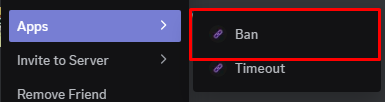
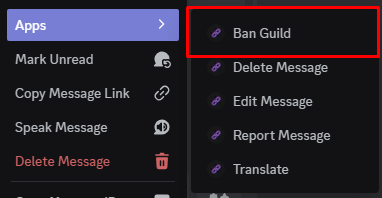
You can use the user/message context menu to ban a user/server quickly
## Logs
When you ban a user, Connections will automatically log the ban in the logs
channel
This command does not have a prefix version